
One flow. Two sides. Every Whistle.
Whether you need help or you're the one who can give it, creating a Whistle takes the same few taps. Here's exactly what happens, screen by screen.

It all starts on the map.
Open DoWhistle and you land on a live map of your area, with one clear button at the bottom: Create Whistle.
Simple registration, no category browsing upfront. Just tap and go.

Tell us: do you NEED, or do you HAVE?
Every Whistle is one of two things. Pick Consumer if you need help — DoWhistle searches for matching providers and alerts you. Pick Provider if you have a skill or service to offer nearby.

Pick a ready-made category, or go custom.
Common needs like Painter or Electrician are one tap away, pre-loaded with the right tags. Something more specific? Custom Whistle skips straight to a blank slate.
This is what keeps DoWhistle fast for a leaky faucet and flexible enough for anything else.
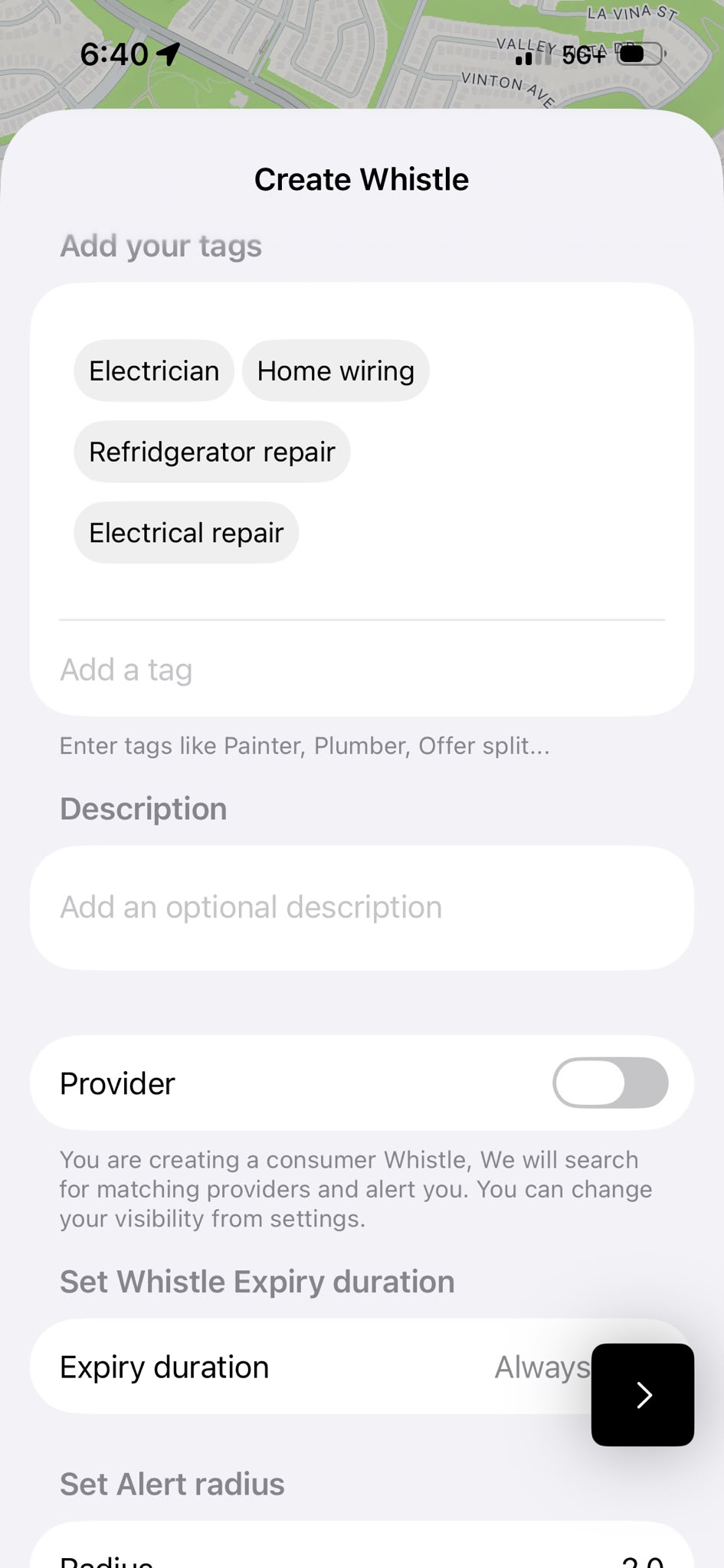
Add your tags, and a quick description.
Tags are what make matching precise — “Electrician,” “Home wiring,” “Refrigerator repair.” Add as many as apply, then describe what's going on in a sentence or two. Optional, but it helps the right person say yes faster.
Same screen, either side: the Provider toggle is what separates “I need this” from “I offer this.”
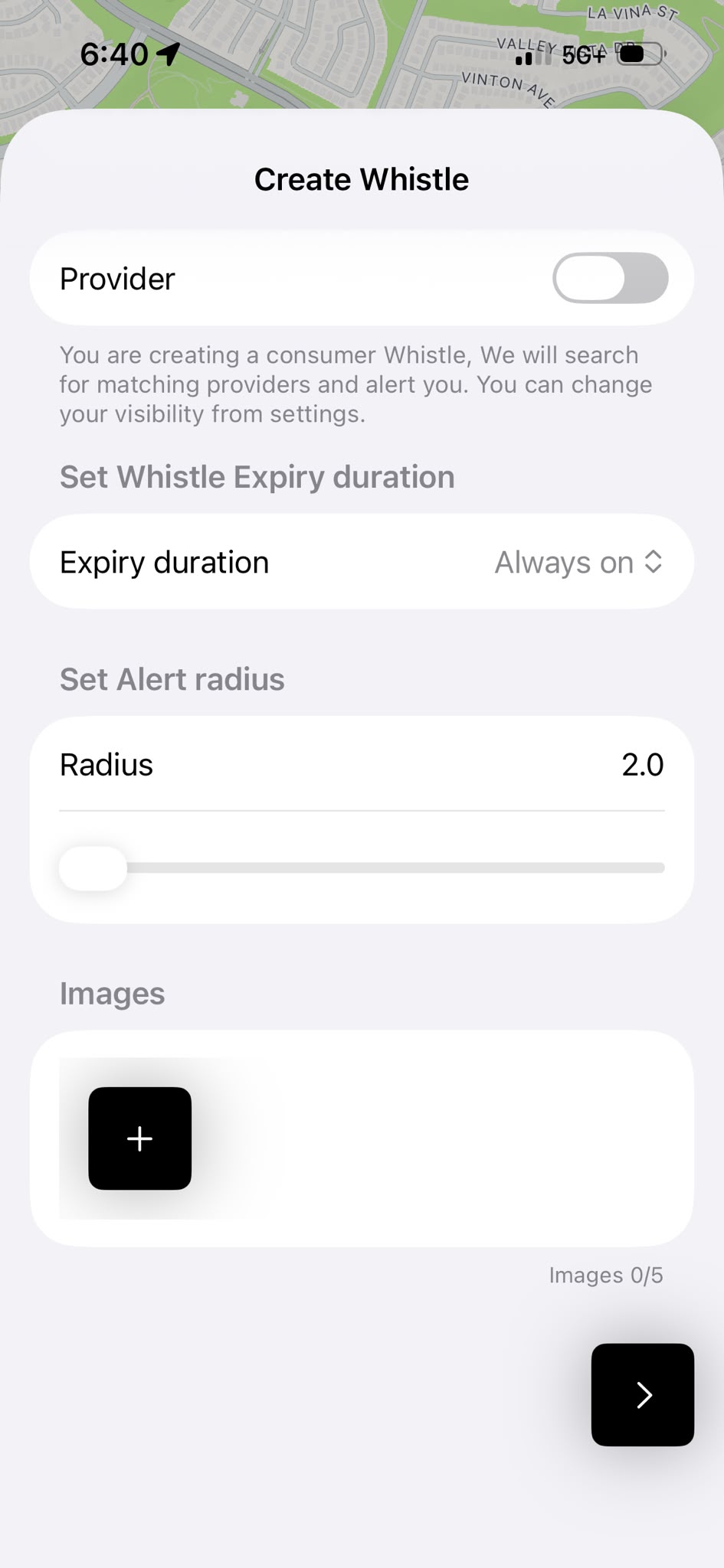
Set how long it lasts, how far it reaches.
Choose an expiry duration — from a single hour to always-on — and an alert radius in miles. That radius is the difference between “help nearby” and “help across town.”
Add up to 5 photos so the other side knows exactly what they're walking into — a job site, a leak, a spare room, anything visual.
Post it — and the nearest match answers.
The instant you post, your Whistle goes out to everyone in range on the other side. No feed to scroll, no quotes to wait on — just whoever's closest and available, right now.
Consumers see a live list of nearby providers. Providers get an alert the second a matching need appears.
Ready to Whistle?
Need something, or ready to offer help nearby — the first Whistle takes under a minute.